Welcome to Zoë
Your Cycle. Your Energy. Your Life.
“I’m Zoë — your personal guide to understanding and harmonising with your menstrual cycle. Together, we’ll turn your cycle from something you endure into something that empowers you.”
Zoë Life is more than a period tracker. It’s a comprehensive hormonal health platform designed to help girls and women understand, track, and optimise their menstrual cycles through personalised nutrition, exercise, lifestyle guidance, and AI-powered support.
Phase-Aware Guidance
Nutrition, exercise, and lifestyle tips tailored to your current cycle phase.
Ask Zoë AI
Chat with your personal AI health companion anytime, about anything cycle-related.
Support Circle
Invite partners and supporters — you control exactly what they see.
Privacy First
Your data is yours. Every sharing decision is in your hands.
Getting Started
Create your account and personalise Zoë to your life stage.
1. Create Your Account
Download Zoë Life from the App Store or Google Play. Tap Get Started to create an account with your email, or tap Log in if you already have one.
Tip: Your email is used only for account recovery. Zoë never shares your information.
2. Choose Your Life Stage
During onboarding, Zoë asks about your current life stage so she can personalise your experience:
- Teen — Just starting your cycle journey
- Young Woman — Established cycles, active lifestyle
- Mother — Post-pregnancy hormonal changes
- Pregnant — Supporting you through pregnancy
- Menopausal — Navigating perimenopause and beyond
- Supporter — Supporting someone you care about
You can change your life stage anytime from Profile → Preferences → Re-personalise Zoë.
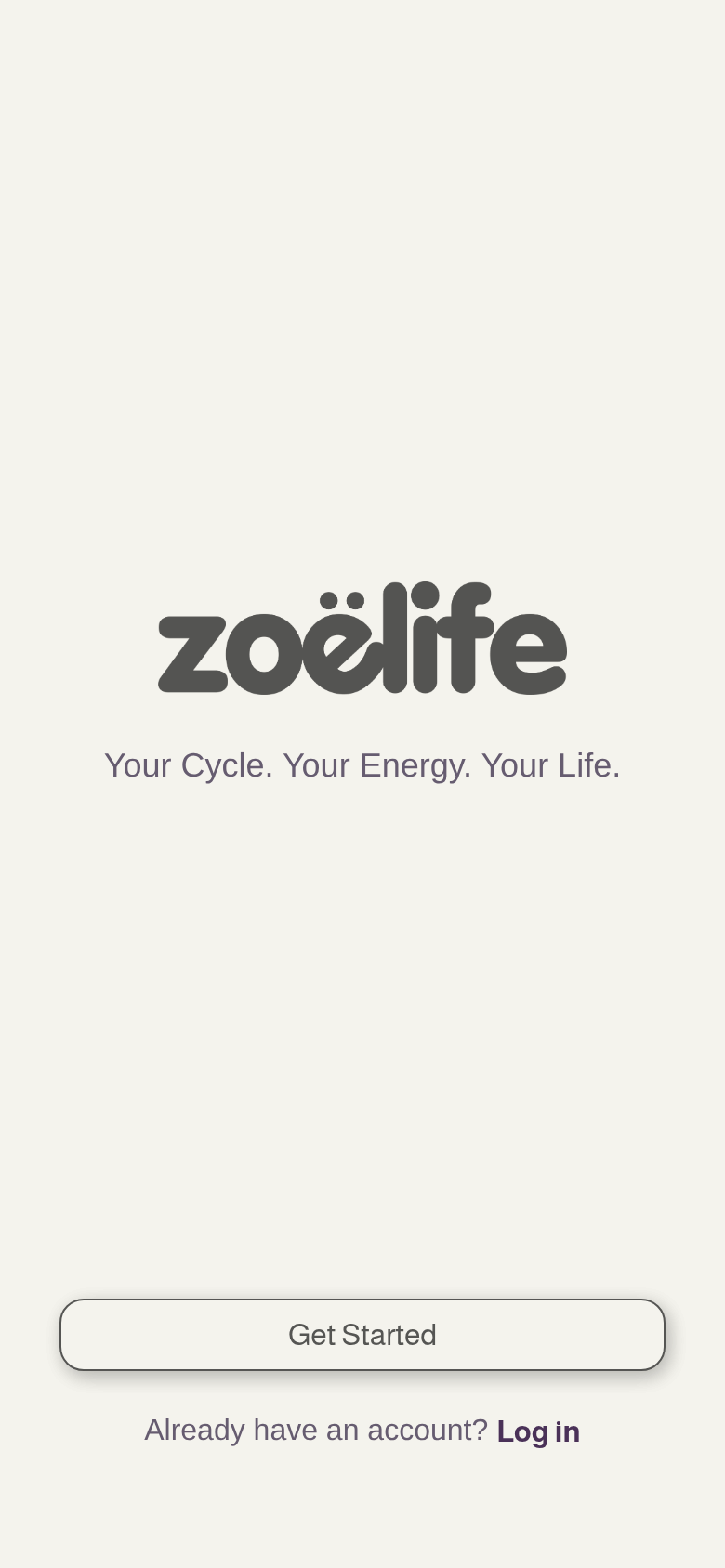
Welcome screen
Your Home Dashboard
Your daily snapshot — everything you need at a glance.
What You’ll See
Today’s Insight
A personalised message from Zoë about your current cycle phase — what to expect, how you might feel, and what to focus on.
Temperature Logging
Quick access to log your basal body temperature. Tap to record today’s reading.
How Are You Feeling?
Quick mood check-in — tap Great, Okay, or Low. Zoë uses this to personalise your guidance and track patterns.
Today’s Guidance
Phase-specific cards for Nutrition, Movement, and Wellbeing — tailored to where you are in your cycle.
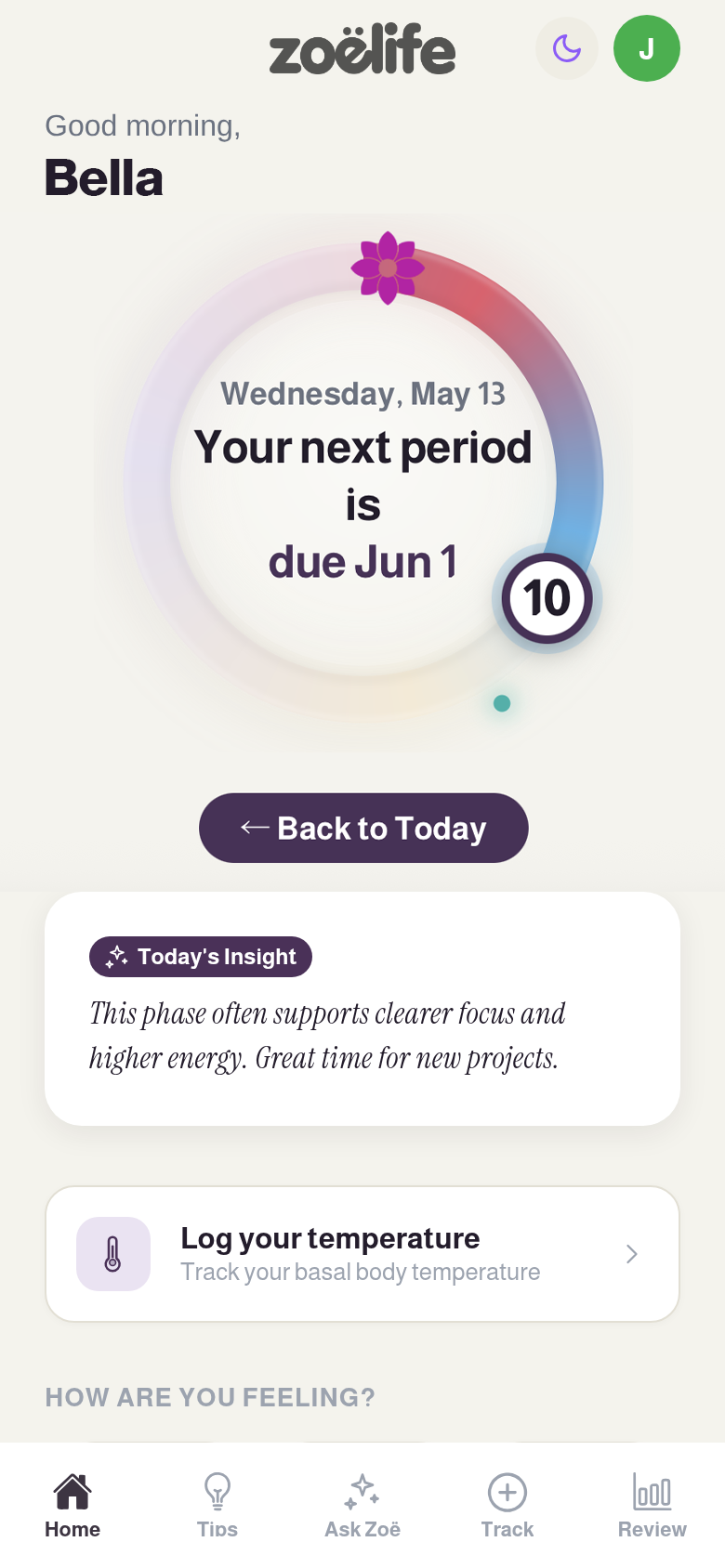
Home dashboard
Ask Zoë
Your personal AI health companion — always ready to chat.
“Ask me anything about your cycle, nutrition, exercise, moods, symptoms — I’m here for you. I know your cycle phase, your history, and your preferences.”
What You Can Ask
- • “Why do I feel so tired today?”
- • “What should I eat during my luteal phase?”
- • “Is it normal to feel emotional before my period?”
- • “What exercise is best for me right now?”
- • “Help me understand my temperature chart.”
- • “I’m having cramps — what can help?”
How Zoë Knows You
Zoë has context about your:
- • Current cycle phase and day
- • Recent mood and energy logs
- • Temperature trends
- • Life stage and preferences
- • Previous conversations
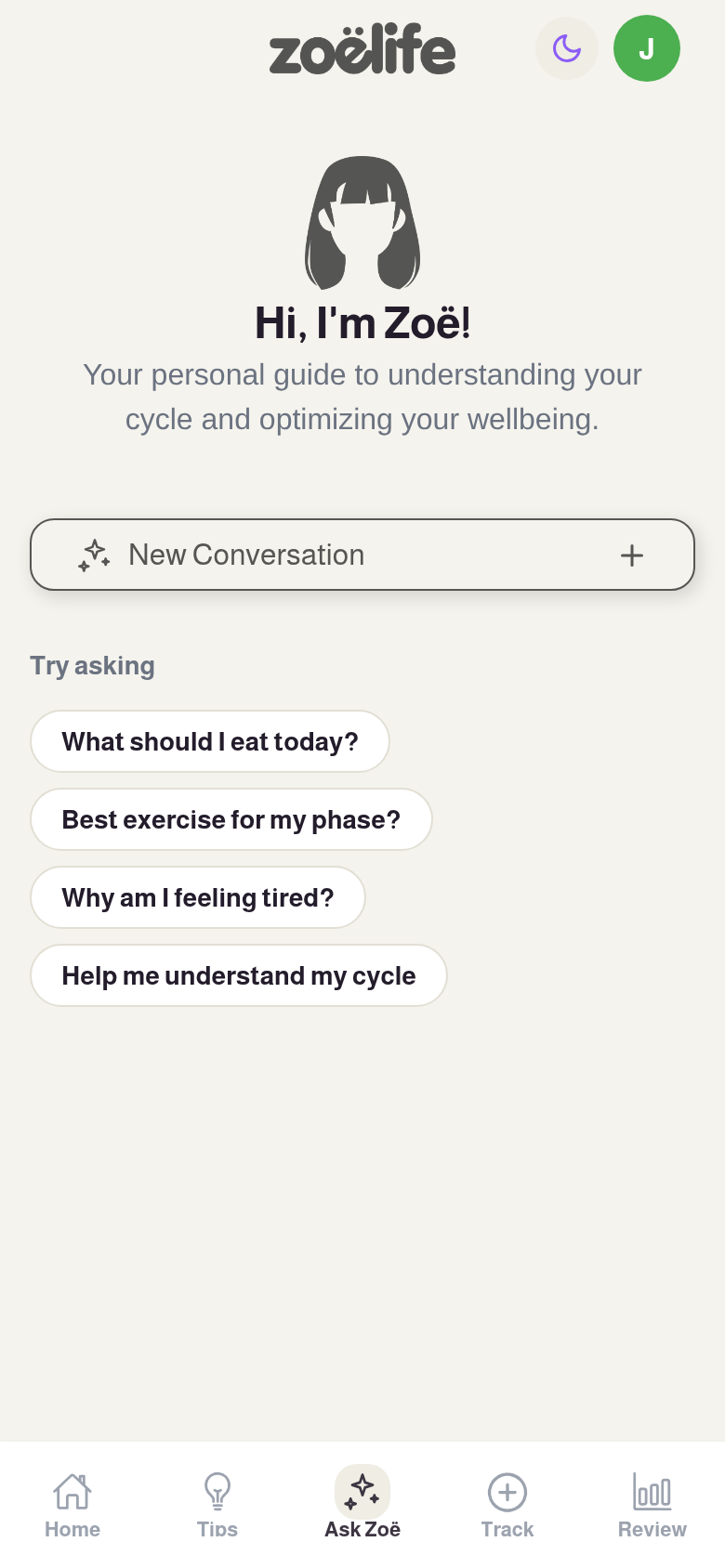
Ask Zoë chat
Tips & Phase Guidance
Personalised guidance that changes with your cycle.
The Four Phases
Your menstrual cycle has four distinct phases, each with different hormonal profiles. Zoë adapts her guidance to match:
Your Phase Guide
Each phase includes tailored guidance in these categories:
- Nourishing Foods — What to eat and why
- Movement — Exercise that matches your energy
- Wellbeing — Self-care and lifestyle tips
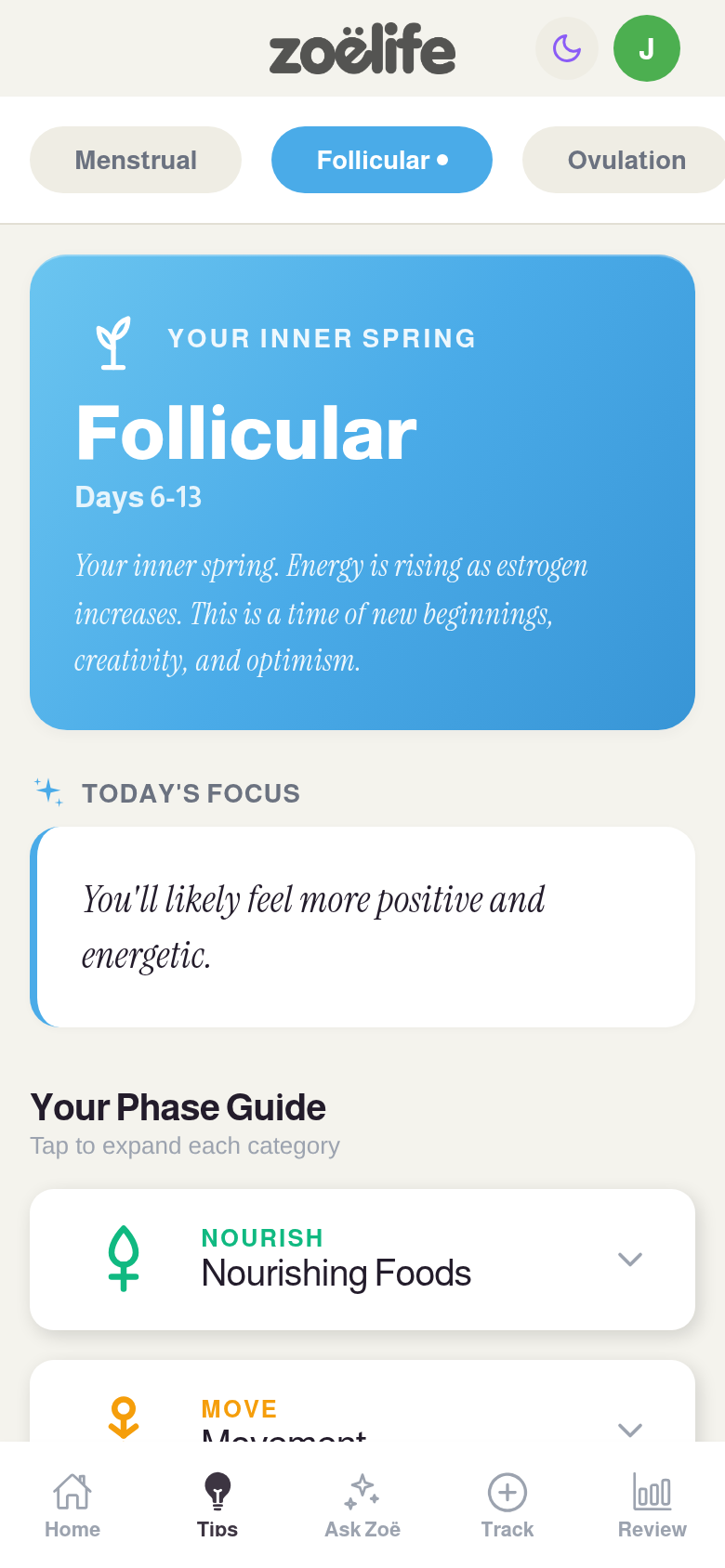
Tips screen — Follicular phase
Temperature Tracking
Track your basal body temperature to understand your cycle more deeply.
How It Works
Basal body temperature (BBT) is your body’s temperature at rest. It rises slightly after ovulation due to progesterone, making it a powerful tool for understanding your cycle pattern.
Log Daily
Take your temperature first thing in the morning, before getting out of bed. Log it in Zoë right away.
Backdate Entries
Forgot to log? You can backdate entries and record the time they were taken.
View Your Chart
Your temperature chart shows trends over your cycle, helping you spot the post-ovulation rise.
Tip: Consistency is key. Try to take your temperature at the same time each morning for the most accurate chart.
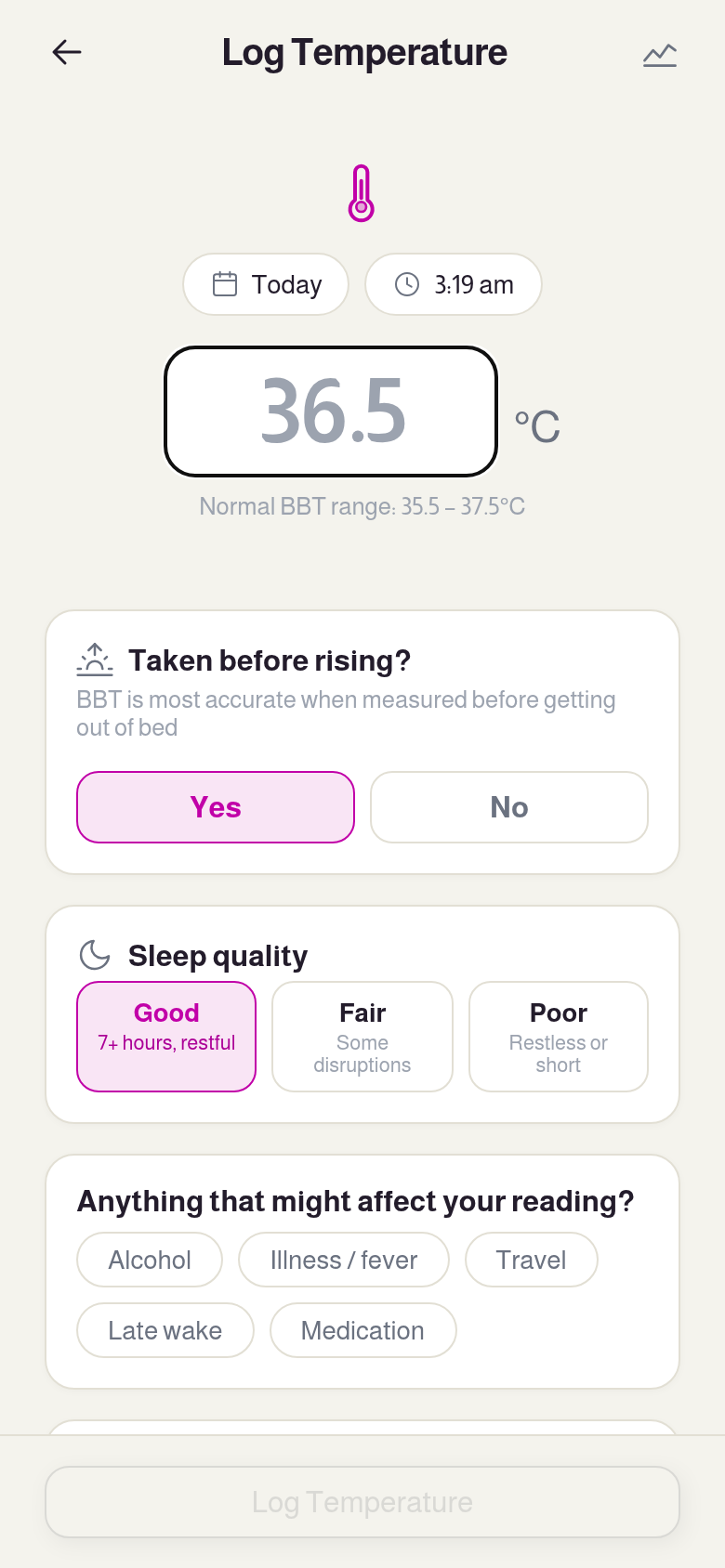
Temperature tracking
Cycle Settings
Customise Zoë to match your unique cycle.
Navigate to Profile to adjust your cycle settings. These settings help Zoë predict your phases accurately:
Average Cycle Length
The typical number of days from the start of one period to the start of the next. Most cycles are 24–35 days.
Average Period Length
How many days your period typically lasts. Most periods last 3–7 days.
Last Period Date
The start date of your most recent period. This anchors Zoë’s phase calculations.
Tap Save Changes after adjusting. Zoë will immediately recalculate your phase timeline.
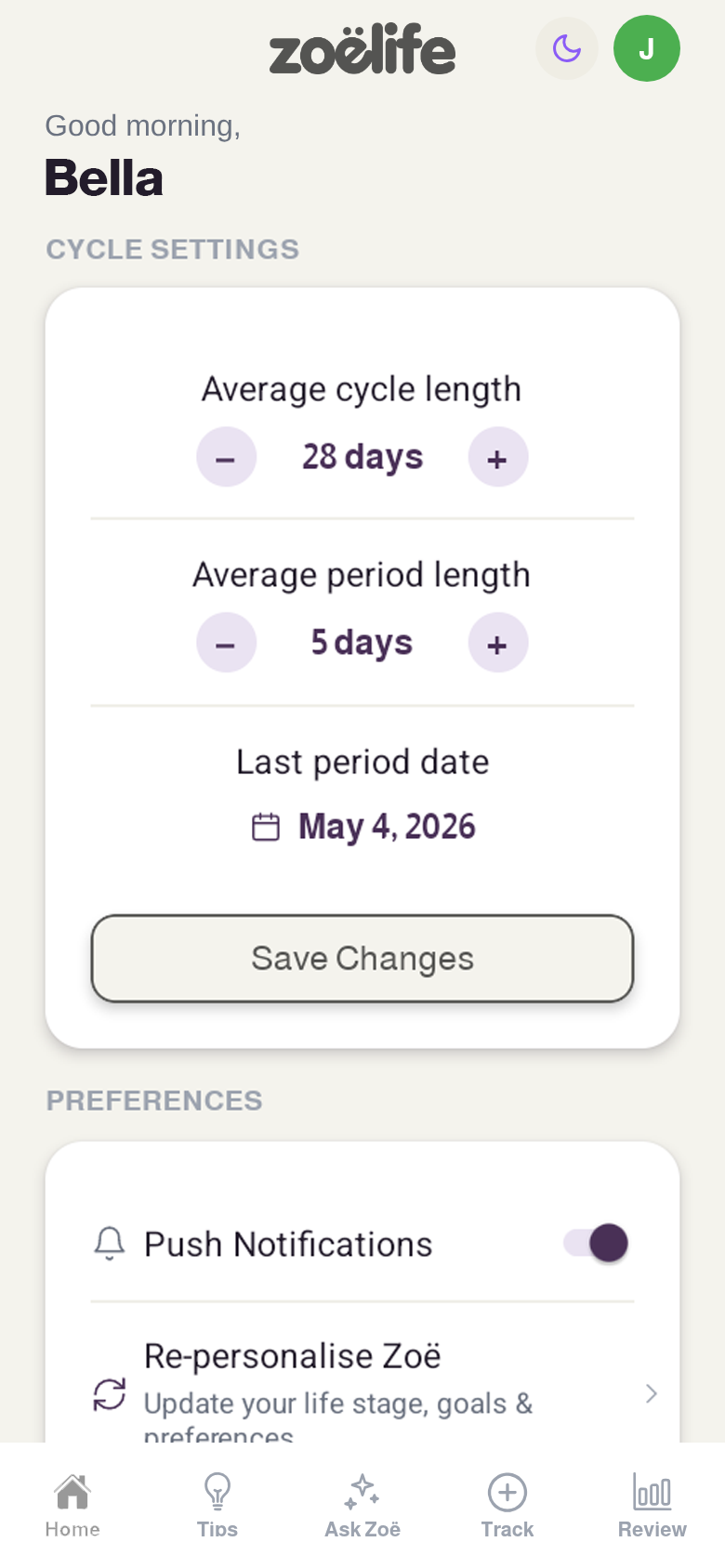
Cycle settings
Doctor’s Report
Share your cycle data with your healthcare provider.
The Doctor’s Report generates a clean, professional summary of your cycle data that you can share with your GP, gynaecologist, or other healthcare provider.
What’s Included
- • Cycle length history and averages
- • Period duration patterns
- • Temperature chart data
- • Mood and energy trends
- • Symptom history
Find it under Profile → Healthcare → Doctor’s Report.
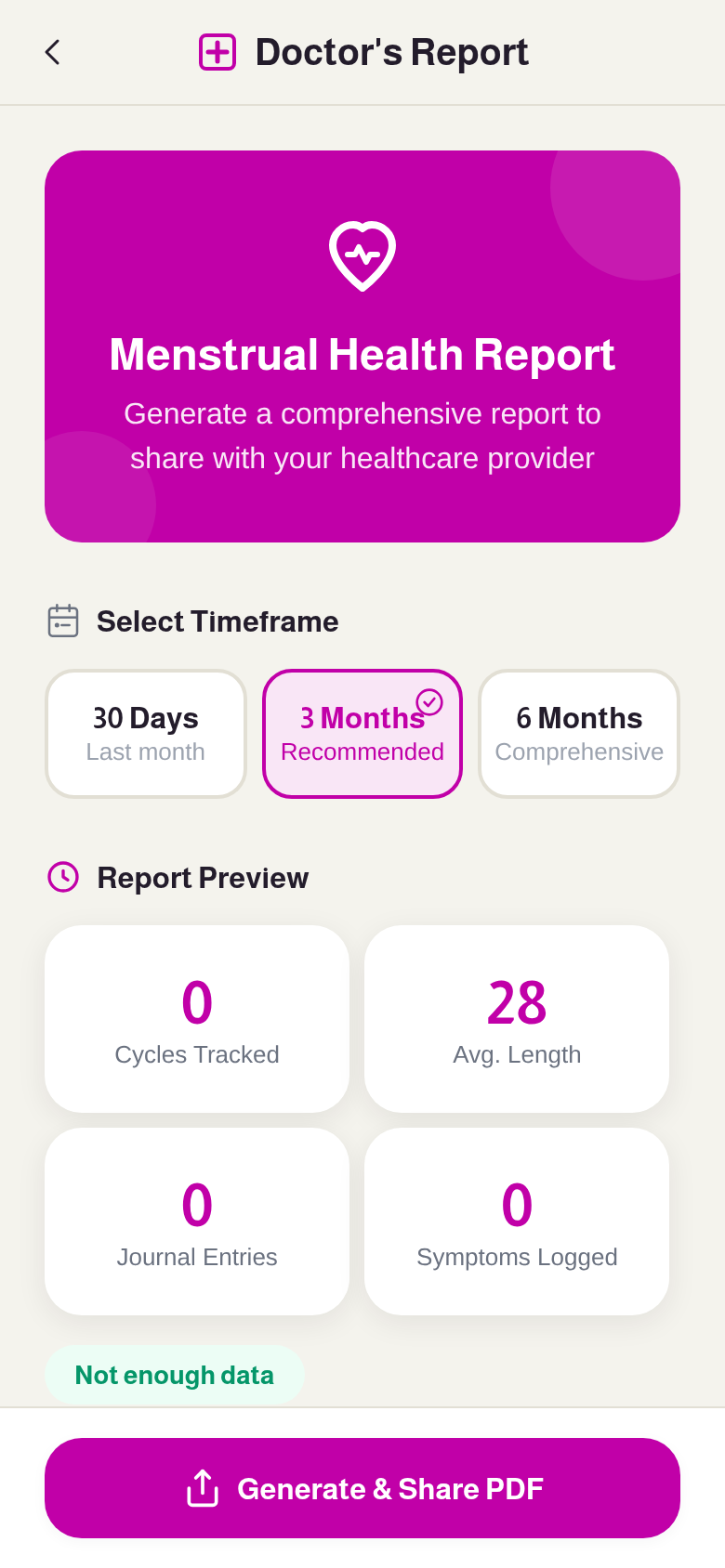
Doctor’s report
ZLU Micro-Learning
Bite-sized lessons that appear at just the right time.
“I’ll share small, helpful insights with you at key moments in your cycle. Think of them as gentle nudges to help you understand what’s happening in your body.”
ZLU (Zoë Life University) delivers context-triggered micro-lessons as pop-up cards on your Home screen. They’re designed to educate you about hormonal health in small, digestible pieces.
How It Works
- • Lessons appear automatically based on your cycle phase and activity
- • Each lesson is a short, focused card you can read in under a minute
- • Tap Got it to dismiss — you won’t see the same lesson twice
- • Your lesson history is saved so you can revisit anytime
Tip: Don’t skip these! They’re carefully timed to match what’s happening in your body right now.
Support Circle
Invite people you trust and control exactly what they see.
Privacy First: You are always in control. Supporters can only see what you explicitly allow. You can change permissions, pause sharing, or remove supporters at any time.
How to Invite a Supporter
- 1 Go to Profile → People → Support Circle and tap Invite Supporter.
- 2 Choose the relationship type (Husband, Boyfriend, Fiancé, Friend, etc.).
- 3 Select a permission preset that controls what they can see.
-
4
Share the invite code (e.g.
ZOE-A7K9M2) with your supporter.
Permission Presets
Light Touch
Minimal sharing — just basic communication tips. Good for friends or family.
Relationship
Phase, mood, energy, and relationship communication guidance. Ideal for partners.
Full Access
Most data shared — phase, mood, energy, symptoms, nutrition, exercise, and more. Sensitive data (fertility, temperature, journal) is still off by default.
Custom
Toggle each of the 16 data categories individually for full control.
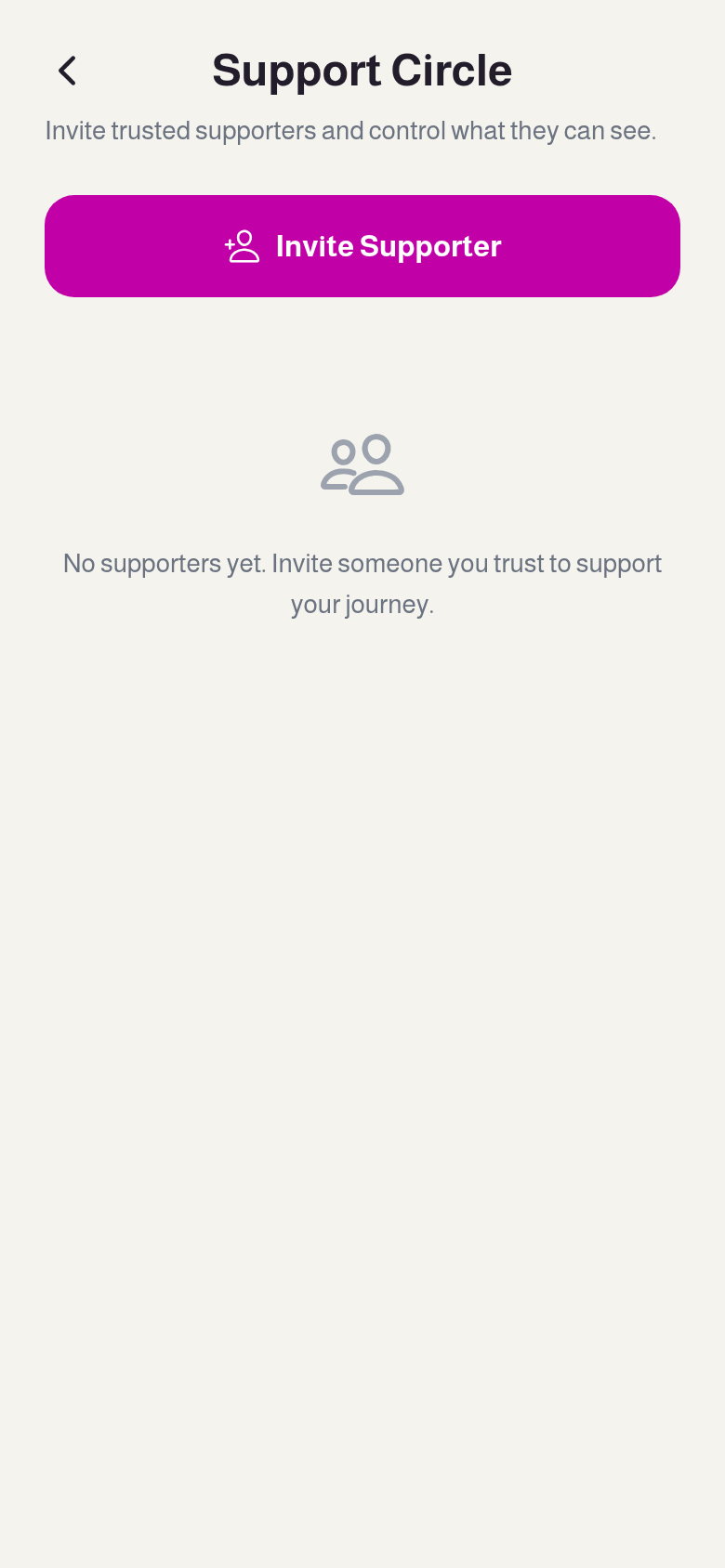
Support Circle
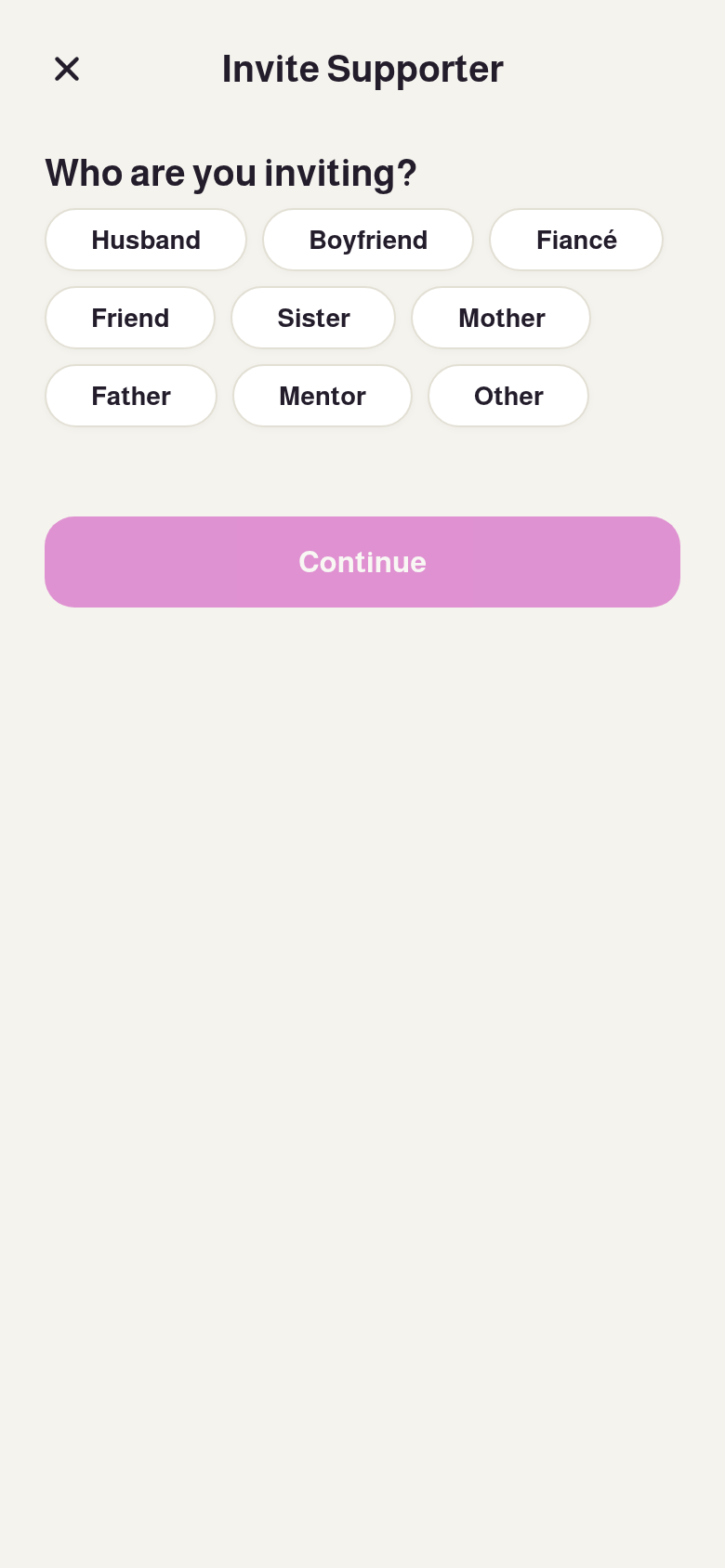
Invite — choose relationship
Managing Your Supporters
Once a supporter accepts your invite and you approve them, you can manage their access at any time:
Pause Sharing
Temporarily stop sharing data. The supporter will see a “paused” state but remain connected.
Resume Sharing
Start sharing again when you’re ready.
Edit Permissions
Tap a supporter to view and adjust their individual data permissions.
Remove
Permanently remove a supporter. They’ll lose all access immediately.
Sensitive Categories
Some data categories are considered sensitive and are always off by default, even with the Full Access preset. You must explicitly enable each one:
- • Fertility Window — Ovulation timing and fertility predictions
- • Temperature Data — Your BBT readings and chart
- • Journal Notes — Personal journal entries
- • Predictive Moments — AI-predicted mood or symptom changes
For Supporters
NewA guide for partners, family members, and friends who want to understand and support.
“Being a supporter isn’t about fixing things. It’s about understanding, showing up with empathy, and knowing that some days just need a little more patience than others.”
How to Join as a Supporter
- 1 Download Zoë Life and tap Get Started.
- 2 During onboarding, select Supporter as your life stage.
-
3
Enter the invite code you received (e.g.
ZOE-A7K9M2). - 4 Choose your relationship role (Husband, Boyfriend, Friend, etc.).
- 5 Select your goals — what you want to learn and improve.
- 6 Optionally take the Personality Plus quiz (helps Zoë tailor communication tips).
- 7 Wait for approval — the person who invited you needs to approve your access.
Your Supporter Dashboard
Once approved, you’ll have four tabs:
Home
Your main view. Shows a snapshot of how she’s doing today — her current cycle phase, mood, energy level, and any symptoms she’s chosen to share. Includes personalised recommendations for how you can support her today.
Ask Zoë
Chat with Zoë about how to support your partner. Zoë knows her current phase and permissions, and will give you specific, actionable guidance. Example: “She’s in her luteal phase — here’s why she might be more sensitive this week, and what helps.”
Support Plan
Coming soon — weekly relationship planning tools, communication exercises, and guided activities to strengthen your connection.
Profile
Your account, connection status, personality type, and privacy information.
What You Can Ask Zoë
Zoë responds based on what your partner has shared with you. Some example questions:
- • “How is she likely feeling today?”
- • “What’s the best way to support her right now?”
- • “Why might she be more tired this week?”
- • “What should I avoid saying during this phase?”
- • “How can I help with her nutrition this week?”
- • “What are some thoughtful things I can do today?”
What Supporters Cannot See
Supporters only see data that has been explicitly shared. Zoë will never reveal:
- • Any data category the female user hasn’t enabled
- • Chat history between the female user and Zoë
- • Journal entries (unless explicitly shared)
- • Fertility data (unless explicitly shared)
- • Temperature readings (unless explicitly shared)
If permissions change, the supporter’s view updates immediately. Zoë will adjust what information she shares in AI responses in real-time.
Profile & Account
Manage your account, preferences, and app settings.
Your Profile
View your name, email, life stage, and avatar at the top of the Profile screen.
Cycle Settings
Adjust your average cycle length, period length, and last period date.
Preferences
Toggle notifications and re-personalise Zoë by changing your life stage.
People
Access your Support Circle to invite and manage supporters.
Healthcare
Generate a Doctor’s Report to share cycle data with your healthcare provider.
Help & Support
Get help, report issues, or contact our support team.
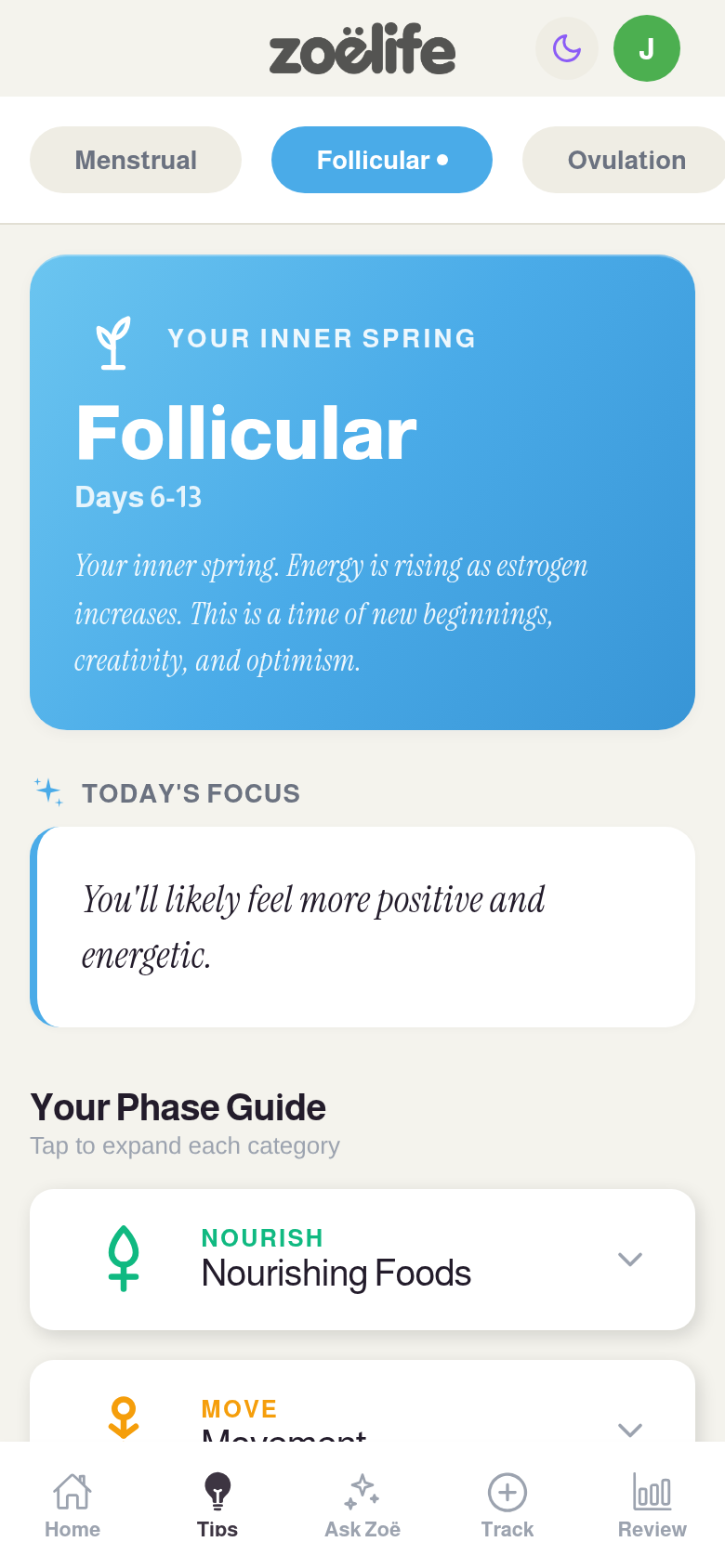
Profile screen